
Our Favorite Tech for Enjoying a Lake Murray Summer
Introduction
Moving into a new home is an exciting milestone, but it also brings a host of responsibilities—especially when it comes to technology. From setting up your internet to securing your smart devices, the process can feel overwhelming, particularly if you’re not a tech expert. This Hero Guide provides a comprehensive, jargon-free checklist to help new homeowners confidently set up, secure, and maintain their home technology. Whether you’re a first-time buyer or simply want to ensure your digital environment is safe and efficient, this guide is for you.
1. Internet Setup: Laying the Foundation
Choose the Right Internet Plan
- Assess your household’s needs (streaming, remote work, smart devices).
- Compare providers for speed, reliability, and customer service.
- Opt for a plan that allows for future growth.
Install Your Modem and Router
- Place your router in a central location for optimal coverage.
- Use wired connections for devices that require stability (e.g., desktop PCs, gaming consoles).
- Label cables for easy troubleshooting.
Test Your Connection
- Use online speed tests to verify you’re getting what you pay for.
- Contact your provider if speeds are consistently below your plan.
2. Wi-Fi Security: Protecting Your Network
Change Default Passwords
- Update the default admin password on your router.
- Create a strong, unique Wi-Fi password.
Enable Network Encryption
- Use WPA3 if available; otherwise, select WPA2.
Set Up a Guest Network
- Keep visitors’ devices separate from your main network.
Regularly Update Firmware
- Check your router manufacturer’s website for updates.
- Enable automatic updates if possible.
3. Smart Device Configuration: Convenience with Caution
Inventory Your Devices
- List all smart devices (thermostats, cameras, speakers, etc.).
- Register devices with manufacturers for warranty and updates.
Secure Each Device
- Change default usernames and passwords.
- Enable two-factor authentication (2FA) where available.
Segment Smart Devices
- Place smart home devices on a separate Wi-Fi network if your router supports it.
Update Regularly
- Set reminders to check for firmware and app updates monthly.
4. Data Backup: Safeguarding Your Memories
Automate Backups
- Use cloud services (Google Drive, iCloud, OneDrive) for important documents and photos.
- Set up automatic backups on computers and mobile devices.
Physical Backups
- Invest in an external hard drive for local copies of critical files.
- Store backup drives in a safe, dry place.
Test Restores
- Periodically restore files from your backup to ensure everything works.
5. Ongoing Maintenance: Keeping Things Running Smoothly
Schedule Regular Checkups
- Set a quarterly reminder to review your network and devices.
- Clean dust from hardware to prevent overheating.
Monitor for Unusual Activity
- Use your router’s dashboard to check for unknown devices.
- Set up alerts for suspicious logins or access attempts.
Educate Your Household
- Share basic security tips with family members.
- Encourage strong password habits and caution with email links.
6. Bonus Tips: Going the Extra Mile
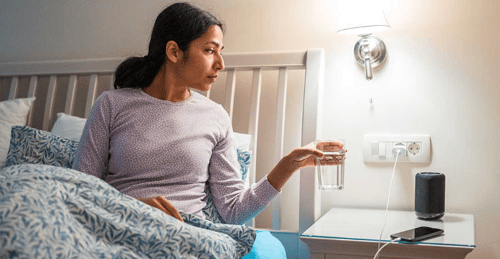
Smart Assistants
- Review privacy settings on devices like Alexa or Google Home.
- Mute microphones when not in use.
Energy Management
- Use smart plugs and thermostats to save on utility bills.
- Monitor usage through device apps.
Professional Help
- Don’t hesitate to consult a tech professional for complex setups or troubleshooting.
Conclusion
Setting up and securing your home technology doesn’t have to be intimidating. By following this checklist, you’ll create a safer, more efficient digital environment for your household. Remember, technology should work for you—not the other way around.
Give us a call, or fill out the contact form to the right, for a personalized consultation to secure your family's digital life.
Kevin Mewborn
Mar 6, 2026, 9:00:00 AM
Mar 6, 2026, 9:00:00 AM

Comments