
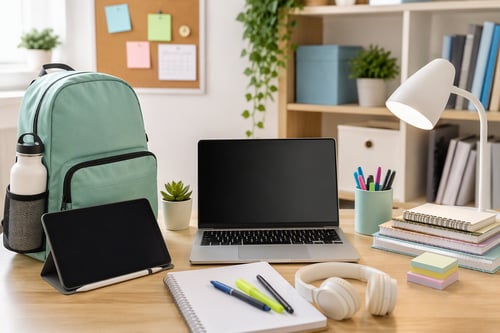
School Tech Essentials: Organize and Succeed This Year
Spring cleaning isn’t just for your closets and garage—it’s also a great time to tidy up your digital devices! Over time, computers, smartphones, and tablets can become cluttered and sluggish. The good news? You don’t need to be a tech expert to give your devices a fresh start. With a few simple steps, you can clear digital clutter, protect your information, and help your gadgets run more smoothly and securely. Here’s how to get started—no technical jargon, just straightforward advice you can use today.
1. Declutter Your Desktop and Downloads
Start with the basics: your desktop and downloads folder. A messy desktop can slow down your computer and make it harder to find what you need. Take a few minutes to:
- Delete files, photos, or shortcuts you no longer need.
- Move important documents into clearly labeled folders.
- Empty your recycling bin or trash can to free up space.
Think of this as tidying up your digital workspace. You’ll be surprised how much easier it is to find things—and how much faster your device can run.
2. Uninstall Unused Apps and Programs
Just like old kitchen gadgets, apps and programs you don’t use take up space and sometimes run in the background, slowing things down. On your computer or phone, check your apps list and remove anything you haven’t used in the past few months. Not sure what something is? Look it up before deleting, or ask a trusted friend or professional.
3. Clean Up Your Browser
Web browsers (like Chrome, Safari, or Edge) store a lot of information—history, cookies, and temporary files—which can add up over time. To give your browser a fresh start:
- Clear your browsing history and cache (most browsers have this option in their settings).
- Review your bookmarks and delete any you no longer need.
- Remove unused browser extensions or add-ons.
This not only speeds up your browsing but also helps protect your privacy online.
4. Update Your Software
Keeping your software up to date is one of the simplest ways to stay safe online. Updates often include important security fixes and performance improvements. Check for updates on your computer, phone, and commonly used apps. If you’re unsure how to do this, most devices have an “Updates” or “Software Update” option in their settings menu.
5. Back Up What Matters
Imagine losing all your family photos or important documents in an instant. Regular backups protect against accidental loss, hardware failures, or even cyber threats. Backing up can be as simple as copying files to an external hard drive or using a cloud service like Google Drive, iCloud, or Dropbox. Set a reminder to back up your files at least once a month.
6. Organize Your Photos
Photos and videos can quickly eat up storage space. Take some time to sort through your images:
- Delete duplicates and blurry shots.
- Create albums for special events or trips.
- Consider transferring older photos to a computer or cloud storage to free up space on your phone.
7. Review Your Passwords
While you’re cleaning up, take a moment to review your passwords. Make sure you’re not using the same password for everything. Consider using a password manager to keep track of your login information securely. Strong, unique passwords help protect your personal information.
8. Give Your Devices a Physical Clean
Don’t forget the outside! Dust and grime can build up on keyboards, screens, and charging ports. Turn off your devices before cleaning, and use a soft, lint-free cloth. For keyboards and ports, a can of compressed air can help remove debris. Clean devices not only look better but may run cooler and last longer.
Take It One Step at a Time
Spring tech cleanup doesn’t have to be overwhelming. Tackle one area at a time, and remember: every small step can make a big difference in how your devices perform. If you get stuck or have questions, you’re not alone. Give us a call, or fill out the contact form to the right (below on mobile), for a personalized consultation to secure your family’s or business’s digital life.
Kevin Mewborn
Mar 31, 2026, 9:00:00 AM
Mar 31, 2026, 9:00:00 AM


Comments