
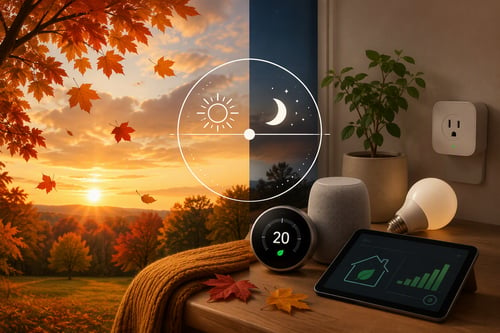
Autumn Equinox: Seasonal Tech Transitions & Energy Savings
If your lights, thermostat, and voice assistant still need constant reminders, your smart home may be doing more work for you than it needs to. You do not need to replace every device to make things easier. A few simple routines can make your home respond to everyday patterns and save small bits of effort all week.
This weekend, focus on automations that solve a real annoyance. Start small and add another once it works.
Start with one small routine
A home automation is simply an “if this, then that” rule. When the sun goes down, the porch light turns on. When motion is detected, an entry light comes on. When you say a phrase, several devices respond together.
Keep routines predictable and easy to override. Give devices clear names, keep a manual switch or button available, and avoid building a complicated chain before the basic action works.
Put everyday lights on a schedule
Use the schedule feature in your smart bulb, plug, or wall-switch app to control lights you use at predictable times. A kitchen light might come on before breakfast, or a hallway lamp might turn on around sunset and switch off at bedtime.
If your app supports a “sunset” setting, it can adjust as daylight changes through the year. Start with one or two lights so the routine is easy to adjust.
Let motion trigger helpful alerts
A motion sensor or camera can do more than send a notification every time a pet walks past. Set a trigger to turn on an entry light for a few minutes after dark. If you are away, you might receive an alert for motion near a porch or side gate while leaving indoor activity out of the notification list.
Use zones and schedules to reduce false alarms. An alert that arrives only when it matters is much more useful than a stream you eventually ignore. Test the routine before relying on it.
Give your thermostat a simple routine
Most smart thermostats let you create settings for waking, leaving, returning, and sleeping. You do not need a detailed schedule to begin. Try a comfortable daytime temperature and a modest change for overnight or for hours when the house is usually empty.
Keep the first version simple, then adjust it after a few days. Location-based changes are optional; a regular schedule is often easier to understand when plans change.
Turn repeat requests into a voice shortcut
If you regularly say the same group of commands, combine them into a shortcut in Alexa, Google Home, Apple Home, or another system you already use. “Movie time” could dim a lamp, turn on a television outlet, and set a comfortable room temperature.
Use shortcuts for convenience, not for actions that could create a safety problem if misunderstood. Keep door locks, garage doors, alarms, and other security controls protected by your system’s safeguards. Test the shortcut while nearby.
Build a bedtime routine
A bedtime routine can gather several small tasks into one button press or voice command. It might turn off downstairs lights, lower the thermostat slightly, start a fan or white-noise device, and remind you to check the doors.
For security-related actions, keep a manual confirmation when possible. Smart devices can lose power or connection, so an automation should support your normal check rather than replace it. The goal is a calmer end to the day.
Make it dependable before adding more
Name devices consistently, keep software updated, and check activity history when something behaves unexpectedly. If a routine fails, simplify it: remove one condition, test again, and add pieces back only after the main action is reliable.
Keep a manual option, too. A smart home should make ordinary tasks easier without trapping you when an internet connection or device battery is unavailable. Predictable automation is more valuable than a fragile setup.
A smarter weekend project
Choose the routine that would remove the most daily friction, set it up, and use it for a few days. Ask whether it saved time, reduced a repeated decision, or made your home more comfortable. If it did, add the next automation gradually.
The best smart home is not the one with the most gadgets. It is the one that quietly handles useful details while leaving you in control. Give us a call, or fill out the contact form to the right (below on mobile), for a personalized consultation to secure your family's or business's digital life.
Kevin Mewborn
Sep 29, 2026, 9:00:01 AM
Sep 29, 2026, 9:00:01 AM
Comments