
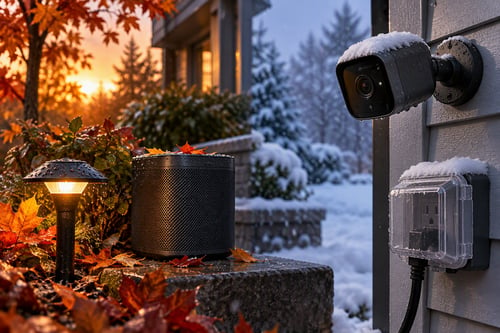
Weatherproofing Your Outdoor Tech for Fall and Winter
Smart lights can do more than change color from an app. A few well-chosen settings can make it easier to settle in at night, light a path when you come home, or avoid leaving every room bright all evening. The key is to start with routines you already have, rather than trying to automate the whole house at once.
You can use smart bulbs, smart switches, or a mix of both. Bulbs are often the easiest way to try smart lighting in a lamp. A smart switch controls the fixture from the wall and is useful when several bulbs are on one circuit. Before buying, check that the product works with your home’s Wi-Fi or hub, your phone, and any existing dimmer. A smart bulb may not work correctly on a traditional dimmer switch.
Set a timer for a routine you already follow
A schedule is simply an automatic on-and-off time. For example, set a porch light to turn on around sunset and off at bedtime, or have a hallway lamp come on briefly in the early morning. These small routines can add convenience and help avoid lights staying on for hours by accident.
Choose a time that matches your real routine, then adjust it after a few days. If sunset changes through the year, look for a setting that follows local sunrise and sunset rather than using one fixed clock time. For security, a timer can make a home look lived in, but it is only one small layer of protection, not a substitute for locking doors or other safety measures.
Create scenes for common moments
A scene is a saved combination of light settings. You might create a “Movie” scene that dims the living room, a “Dinner” scene with softer light over the table, or a “Goodnight” scene that turns off most rooms and leaves a night-light on in the hall.
Keep scenes easy to remember. Start with two or three names that make sense to everyone at home. If your system supports voice control, test that each phrase is easy to say and consistently recognized. It is also smart to keep a regular wall switch accessible so guests and family members can still use the lights without learning the app.
Make energy savings practical
LED bulbs already use much less electricity than older incandescent bulbs, so switching to LEDs is a useful first step. Smart controls can help you use them more thoughtfully: schedule outdoor lights, switch off forgotten rooms, or dim a lamp when full brightness is not needed.
A few habits make the setup more useful:
- Use occupancy or motion settings only in spaces where they make sense, such as a pantry or entryway. In a living room, lights switching off while someone is reading can be annoying.
- Set brightness to the lowest comfortable level for the activity. A desk task may need stronger light than watching television.
- Review schedules when seasons or household routines change, so lights are not running at times nobody needs them.
Pick the simplest setup that fits
If you want to try one feature, start with a smart bulb in a lamp you use every day. If you prefer the wall switch to remain the main control, check whether a compatible smart switch is a better fit. Some switches require a neutral wire in the wall box, and wiring varies by home. If you are uncertain about compatibility or installation, ask a qualified electrician rather than guessing.
Smart lighting works best when it fades into the background. Choose one useful timer, make one scene, and live with them for a week. Keep what genuinely helps and remove what feels fussy. Give us a call, or fill out the contact form to the right (below on mobile), for a personalized consultation to secure your family’s or business’s digital life.
Kevin Mewborn
Oct 20, 2026, 9:00:00 AM
Oct 20, 2026, 9:00:00 AM
Comments