
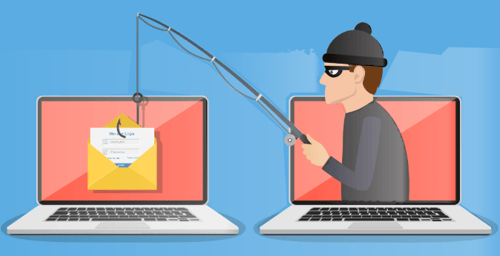
How to Spot a Phishing Email in 5 Seconds or Less
Have you ever opened your inbox to find an email that just didn’t feel right? Maybe it claimed your account was compromised, or you’d won a prize you never entered to win. Phishing emails are everywhere, and they’re getting more convincing every day. But with a little know-how, you can spot these scams before they do any damage. Here are five telltale signs to help you stay safe online.
- The Sender’s Email AddressDoesn’tMatch
One of the easiest ways to spot a phishing email is by checking the sender’s address. Scammers often use addresses that look almost legitimate but have subtle differences—like extra numbers, misspelled company names, or odd domains (think “support@amaz0n-security.com” instead of “support@amazon.com”). If you’re unsure, compare the sender’s address to previous legitimate emails from the company.
- Urgent or Threatening Language
Phishing emails thrive on panic. They might warn you that your account will be locked, your payment failed, or you’ll lose access unless you act immediately. This sense of urgency is designed to make you click before you think. Legitimate companies rarely use threats or demand instant action via email.
- Suspicious Links and Attachments
Hover your mouse over any links (without clicking!) to see where they really lead. If the web address looks strange, doesn’t match the company’s official site, or is a jumble of random characters, don’t click. Attachments can also be dangerous—unless you’re expecting a file, don’t open it.
- Requests for Personal or Financial Information
No reputable company will ask for your password, Social Security number, or credit card details via email. If an email asks for sensitive information, it’s almost certainly a scam. When in doubt, contact the company directly using a trusted phone number or website.
- Poor Spelling, Grammar, or Formatting
Many phishing emails are riddled with spelling mistakes, awkward grammar, or odd formatting. While everyone makes mistakes, multiple errors—especially from a company that should know better—are a red flag.
What to Do (or NOT Do) If You Suspect a Phishing Email
- Don’t click any links or download attachments.
- Don’t reply to the email.
- Report the email as spam or phishing in your email client.
- Contact the company directly using official contact information.
Staying alert and cautious can save you from headaches, lost money, and even identity theft. Remember, it’s always better to double-check than to fall for a scam.
Give us a call, or fill out the contact form to the right, for a personalized consultation to secure your family's digital life.
Kevin Mewborn
Jan 27, 2026, 9:00:00 AM
Jan 27, 2026, 9:00:00 AM

Comments