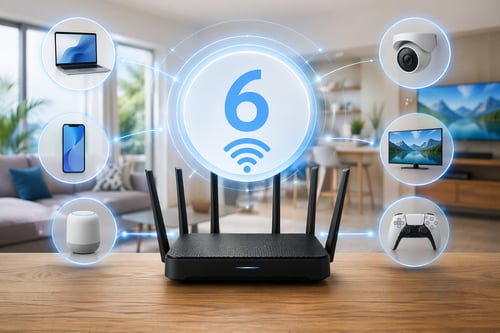
What is "Wi-Fi 6" and Do You Actually Need It?
Cybercriminals love confusion. The more blurred the lines feel between different threats, the easier it is for them to slip past your defenses. Two of the biggest troublemakers you’ll hear about are ransomware and phishing. They’re related, but they’re not the same thing—and knowing the difference helps you shut both of them down before they reach your family or business.
Phishing: The Hook
Think of phishing as a con artist with a keyboard.
Phishing is any attempt to trick you into giving up something valuable—like passwords, bank details, or access to your accounts. It usually shows up as:
- An email that looks like it’s from your bank, Amazon, or even "your IT team"
- A text message claiming there’s a package problem or urgent account issue
- A fake login page that looks almost identical to the real thing
Red flags to watch for:
- Urgent language: “Your account will be closed in 24 hours”
- Requests for passwords, codes, or payment info
- Spelling or grammar mistakes, or odd wording
- Links that don’t quite match the real website address when you hover
If phishing is successful, the attacker walks away with your keys—login credentials, card numbers, or access to sensitive information.
Ransomware: The Lock
Ransomware is what happens after an attacker gets in.
Ransomware is malicious software that locks your files or device and demands payment to unlock them. Once it runs, you might see:
- Files suddenly encrypted or renamed
- A full‑screen message demanding a ransom
- A warning that your data will be deleted or leaked if you don’t pay
Ransomware often starts with phishing—one bad click on a fake invoice or attachment is all it takes. But it can also come from:
- Malicious downloads
- Infected websites
- Vulnerabilities in outdated software or devices
For families and small businesses, ransomware can mean lost photos, locked business records, and days of downtime.
How to Spot the Difference Quickly
A simple way to remember it:
- Phishing = the trick (getting you to click or share)
- Ransomware = the lock (encrypting your data and demanding money)
Phishing is usually the entry point. Ransomware is the impact.
Practical Protection Steps
You don’t need to become a cybersecurity expert to stay safer. Focus on a few basics:
- Slow down on links and attachments. If something feels off—unexpected invoices, password reset emails you didn’t request—don’t click. Go directly to the official website instead.
- Use strong, unique passwords and turn on multi‑factor authentication (MFA). This makes stolen passwords less useful.
- Keep your devices and software updated. Updates often patch security holes attackers love to use.
- Back up your important data regularly. Store at least one backup offline or in a secure cloud service. If ransomware hits, backups can be the difference between stress and disaster.
- Talk about it with your family or team. A quick "If you’re not sure, ask before you click" rule can prevent a lot of damage.
You Don’t Have to Sort This Out Alone
If emails, links, and pop‑ups are starting to feel like a minefield, you’re not alone—and you don’t have to guess what’s safe.
HTMS can review your current setup, help you recognize ransomware and phishing attempts before they land, and put simple protections in place so your devices, data, and loved ones stay safer.
Ready for peace of mind? Call HTMS or fill out the contact form to the right of this article to schedule a personalized consultation and secure your family’s digital life.
Kevin Mewborn
Jan 23, 2026, 9:25:44 PM
Jan 23, 2026, 9:25:44 PM


Comments